After my second discussion during my tutorial it was evident that the path I had taken needed to be amended as I was giving myself a very complicated project that was difficult to complete with the time frame I had. Due to this factor I decided to use the second part of my original idea as the main project this consisted of creating a form of cloud like the one found within Apple or Dropbox allowing information and files to be stored. The purpose of this storage is for media students who need a larger amount of capacity in order to upload content onto Moodle. Here I will research common file formats used by FADE students in order to cater specifically for them. The actual project will be a form of Moodle for FADE students although I will not connect it to the University's Moodle as that will take time in terms of connecting and arranging permissions and copyright. Instead of creating an app I have decided to develop it as a website were students log on and access/upload their files such as raw images, videos, animations etc. The app version would be considered within my future work implementation where I can enhance the accessibility of the device.
Webpages:
Home Page (with log in accessibility's)
Profile Page (customisable, displays students uploaded work)
Upload Page (ability to upload different files and formats)
When the production process commences there might be further additions to the webpages as I have mentioned but I would like to keep it to a minimum in order to have an effective design and functional interface.
Now
that I have gathered several possible project ideas I will need to run them by my
supervisors in my tutorial meeting, here i will discuss and present the current research undertaken. My aim is to discuss with them which topic is the most appropriate
and adequate for me to produce within my constraints. As a level 6 student it
is important to challenge myself although this brings the risk of failure
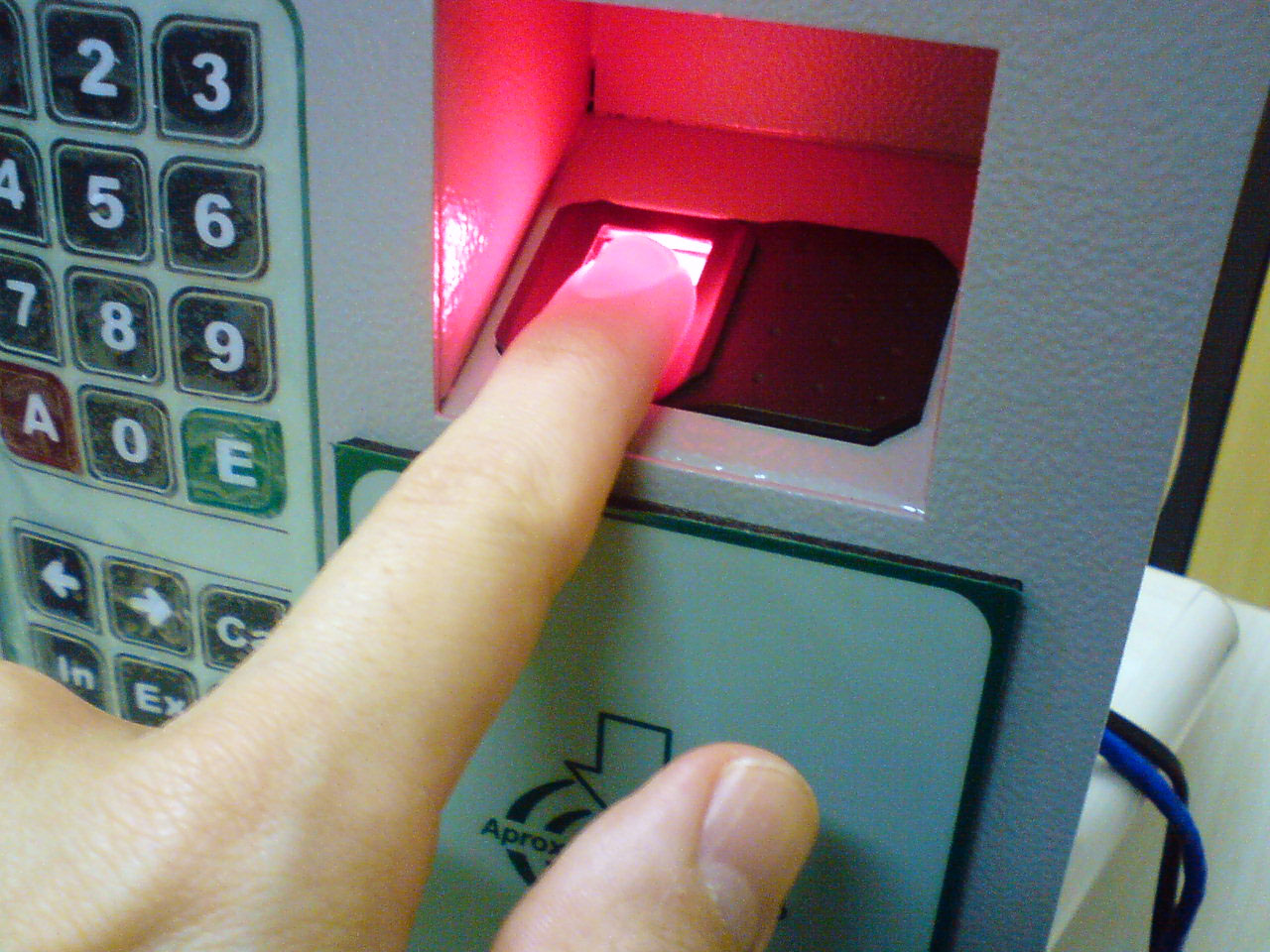
therefore I need to set a realistic goal. After many discussions/ brainstorming ideas and the need to pull out my hair I have come up with my official project concept. A fingerprint scanner sensor with the ability to detect multiple users and their accounts. So basically the sensor detects the fingerprint and matches it to the fingerprint saved on the database, once recognised the user will have access to the interface here they will be able to customise wallpapers, download app, access the cloud etc. After they use the system and log out no one else will be able to access their information. Each user will have a separate account customised to their own preferences any downloaded applications/data will only be accessible to the user whom has downloaded it. Fingerprint scanner
There is a major hype about fingerprint scanning due to Apple's new iPhone 5s release, my main interest towards this is that normally this type of technology is used in government and top secret agencies to protect sensitive data. The fact that this kind of application has been released to the public
Use the trackpad as the finger sensor
The track pad found on Apple products is a useful tool as it detects touch allowing users to explore through the device in a creative way. I felt that this tool would be extremely beneficial in order to create my project without the use of an app but with the ability to be turned into an app. The reason for this decision was to be able to research, learn and develop a functional fingerprint scanner something that will be seen in more applications within the near future.
iPhone Scanner
Seeing as it is a current trend I also looked into the possibilities of using the iPhone for my project.
Since I have the iPhone the capabilities of using the mechanism of the iPhone 5s is not available therefore I will look into possibilities of installing the software on my phone. The reason for using both types of input was to be able to discuss which is most achievable when combining the code in order to implement the unique user profiles and cloud settings.
Sources
Unknown. (N.D.). Using the Touchpad and the Fingerprint Sensor (optional).Available: https://computinghardware.web.cern.ch/ComputingHardware/doc/NEC/P550-UserGuide/05-01-03_touchpad_with_scroll_feature_fingerprint.htm. Last accessed 16th October 2013.
Scott Schaen . (2009). How to Enable Three-Finger Middle Click for the Mac Trackpad (and Magic Mouse!). Available: http://kec8irlufurlhy5n.zippykid.netdna-cdn.com/wp-content/uploads/2009/11/gestures-drivers-for-macbook-pro2-1.jpg. Last accessed 16th October 2013
Unknown. n.d. the-iphone-5s-fingerprint-scanner-opens-up-a-world-of-commerce-opportunities. [image online] Available at: http://static2.businessinsider.com/image/522f776a6bb3f7894e43acaf/the-iphone-5s-fingerprint-scanner-opens-up-a-world-of-commerce-opportunities.jpg [Accessed: 16 Oct 2013].
It is important that I keep myself organised and up to date in order to not fall behind on work. I have created a Gantt Chart where my goals of completing and starting tasks has been displayed. I do acknowledge the fact that due to unforeseen circumstances the chart might have to be alternated therefore I have given my self extra time within each section to cater for this. At this time I have only developed a time plan from now until Christmas although this will be enhanced within the next coming weeks.
Today I had my first major project tutorial where i discussed my ideas and research gathered so far, I decided that it would be useful to discuss my various interests as i have struggled to come to an overall decision. During the tutorial we discussed the various areas and what they would entail but i managed to narrow down my project into creating a fingerprint scanner.
Now my main focus is to decide upon the output of using the scanner that will make my project unique from the rest, this lead to continuos hours of debating but I did come up with an idea which will be presented in my next blog.
In
order to be able to decide on what I would like to create as my major project
I need to research various areas relating to multimedia and
technology in order to familiarize myself with the current on-going trend. This
method will not only help me find a topic that I will be interested
in but also look into what technology and software is popular at this moment in
time. It is always essential to use various sources to gather my research
although for this particular section I have decided that I will use online
resources only as I am able to find information that has been released merely
seconds/minutes/hours ago.
Subjects of Interest
Below I have listed the technology that I have found most interesting,
my aim is to create a project that will be to the best of my ability therefore
it is essential that I make sure I like the idea first before going ahead with
any other research and forms of implementation.
Fingerprint Recognition
This
form of security is effective as no one in the world not even identical twins
will that the same fingerprint patter everyone is different therefore it is
impossible for someone to hack into your account. Although this is a fair point
I have made it is clear that there are ways round the system as the iPhone 5S
has been cracked. The way the system works is that it scans the individual’s
fingerprint and then it saves the patterns and information (as an
algorithm) within the system. Once it is saved each time the user wants to
access the system or device all the need to do is scan their finger which will
proved them with access. The mathematical algorithm makes is almost
impossible to copy and hack therefore proving to be a secure form of keeping
data and information safe.
The advantages of using this form of security are:
Not much storage space is needed
All fingerprints are unique
Not an expensive gadget to build
The disadvantages of using this form of security are:
Does not acknowledge if the individuals hand characteristics change due to various factors
Costly
Might not recognise user if they scan a different finger or place it differently
Can confuse one user to another if they both have similar characteristics
I also had a look at the iPhone 5S as it is in trend not only as Apple's latest smartphone release but also for it's fingerprint sensor on the home button.
Face Recognition
The system gathers various features of the face and then use those features to match them up
The advantages of using face recognition:
Can be used with standard camera (web cam)
Can be used with various forms of biometric systems in order to increase it's security measures
Useful tool to detect criminals (can be used in conjunction with fingerprints)
The disadvantages of using face recognition are:
Not 100% accurate in matching
Some people find it invasive of their privacy and human rights
When scanning the face users can't have elements that will disrupt the scan (i.e. glasses/make-up)
Eye Scanner Security
Looking
at the other various forms of security above made me think of other areas of
our body that are completely unique and can be used as a form of
identification. This brought me to spy and secret agent films where they have
advanced gadgets in order to hack into prohibited areas and software. Now
that the iPhone 5S has the feature of the fingerprint scanner it will not be
long until there is another form of security implementation within common
technological devices.
The
way this system works is that it scans the retina (neural section located in
the eye) pattern of the human eye; the blood vessels have a unique pattern
just like our fingerprints. This pattern is also different in twins therefore a
form of reliable source for security as there tends to be one evil twin amongst
the two.
i.e.
The advantages of implementing an eye scanner:
Quite reliable at detecting false matches
It is unlikely that the retina will change due the it's location deep within the eye
The disadvantages of this system are:
The scan takes longer than other types i.e. fingerprint
People don't like the idea of having a light scan their eye (fear of harm)
In order for the scanner to detect the retina the user has to place it very close
From the disadvantage i gathered an advantage for high security areas, if the scanner takes a while to detect it could be placed in an area with very minimal access.
Augmentative Reality
When comparing augmentative reality to a virtual or
real world scenario it actually reflects the real world simply because of its
use of existing elements. The difference is that computer generated films;
programs, games etc are all designed and created. There is no denying that some
computer-generated material might reflect real world environments but they do
not use them directly whereas augmented reality does. It uses real world scenes
and objects to add detail to them these could be in the form of sounds, text
with information even smells.
The research into augmentative reality brought me to develop an interest in focusing my project on a device that could be used for educational purposes.This brought me two different types of devices Aurasma and Echoes.
Aurasma is a device that brings still images, captions, objects to life, the software has an interactive digital content implemented that allows this to work. Here the user can hold their smartphone/table up onto the image
Not all images and adverts have this ability, a way for users to know is to look for an "A" within the products if they contain the letter you will be able to use you device to see an animation/video etc. The program allows users to share with others they can even create their own material such as greeting cards, games, books etc...
Echoes is a high tech tool developed for children suffering from Aspergers, here the tool helps children to develop social skills by communicating with an augmented character displayed onto the screen. The virtual character is designed to respond just like a human being therefore making the device an accurate reflection of human interaction and social communications. The screen used has multi-touch to be able to select and complete tasks, this is accompanied by two web cameras that detect where the child is focusing their attention. The device has been used in several schools across the UK and proven to have helped children's communication skills with the ability to focus and complete tasks assigned to them.
Advantages of Augmented Reality:
Users can customise and personalise the features according to their own preferences
The device uses real environments therefore it engages and captures a lot of detail
Content changes automatically as the user moves and looks around
Users will experience not just the visual but touch, smell, taste, weather conditions etc
Games with this technology provide its gamers with a more realistic and less virtual perception
Disadvantages of Augmented Reality:
Expensive to build and develop
Costly for potential customers especially at this time seeing as it is a new form of technology
Lack of privacy (can expose areas you have looked into that you might not want anyone else to know)
Others can develop and implement their own material to be added in with the existing ones
These topic areas and research will be discussed during my first tutorial with my tutors on 14th October.
Bibliography
Unknown. n.d. Eye Scanner Security. Available. [image online] Available at: http://www.dubrmedia.com/eye-scanner-security/. [Accessed: 3 Oct 2013]. Unknown. n.d. Fingerprint Scanner Identification. [image online] Available at: http://upload.wikimedia.org/wikipedia/commons/6/67/Fingerprint_scanner_identification.jpg [Accessed: 3 Oct 2013]. Unknown. n.d. iPhone 5s Home Button Finger Scan. [image online] Available at: http://www.mofonu.com/wp-content/uploads/2013/09/iphone-5s-home-button-finger-scan.png [Accessed: 3 Oct 2013]. Rich, T. 2013. Touch ID (Fingerprint Scanner Sensor) On The New iPhone 5s - Demo and Tutorial!. [video online] Available at: http://www.youtube.com/watch?v=o6TDgRLd2R8. [Accessed: 3 Oct 2013].
Rothman, R. n.d. How Retina Scans Are Used As A Means Of Personal Identification.?. Blurtit, [blog] Available at: http://science.blurtit.com/419871/how-retina-scans-are-used-as-a-means-of-personal-identification [Accessed: 3 Oct 2013].
Answers. 2013. Retina and Iris Scans. [online] Available at: http://www.answers.com/topic/retina-and-iris-scans [Accessed: 3 Oct 2013].
Unknown. n.d. High Res Thor and Loki Background by Quinae on Deviantart. [image online] Available at: http://s3.amazonaws.com/rapgenius/high-res-thor-and-loki-background-by-quinae-on-deviantart.jpg [Accessed: 3 Oct 2013].
Human Recognition Systems. n.d. Human Recognition Systems. [online] Available at: http://www.hrsid.com/company/technology/finger-recognition [Accessed: 3 Oct 2013].
AdDispatch. 2013. Augmented Reality Demo. [video online] Available at: http://www.youtube.com/watch?v=oH_LfXnklRw [Accessed: 3 Oct 2013].
Aurasma. 2012. Augmented Reality in Education: Shaw Wood Primary School uses Aurasma. [video online] Available at: http://www.youtube.com/watch?v=5qRcIek4NY0 [Accessed: 3 Oct 2013].
Biometric Direct. n.d. FACE RECOGNITION SDK. [online] Available at: http://www.biometricdirect.co.uk/face-recognition-sdk [Accessed: 3 Oct 2013].
Bonsor, K. n.d. How Augmented Reality Works. How Stuff Works, [blog] Available at: http://www.howstuffworks.com/augmented-reality.htm [Accessed: 4 Oct 2013].
Chadha, J. n.d. Retina Scan: Eye on Security. Intelligent Computing, [blog] Available at: http://www.inteligentcomp.com/2012/10/all-about-retina-scan.html [Accessed: 4 Oct 2013].
Unknown. n.d. Charlies Angels 1 Eyescan. [image online] Available at: http://fingerchip.pagesperso-orange.fr/biometrics/movies/Charlies_Angels_1_eyescan.jpg [Accessed: 4 Oct 2013].
Course: Information Technology. 2010. Blogger, [blog] 7th October, Available at: http://lonewlf176.blogspot.co.uk/2010/10/facial-recognition-advantages-and.html [Accessed: 4 Oct 2013]. Unknown. n.d. Retinal Scan Eye Security. [image online] Available at: http://img-ipad.lisisoft.com/img/2/5/2518-3-retinal-scan-eye-security.jpg [Accessed: 4 Oct 2013]. Unknown. n.d. Facial Scan. [image online] Available at: http://news.bbc.co.uk/nol/shared/spl/hi/guides/456900/456993/img/noflash/facial_scan_416_dc.gif [Accessed: 4 Oct 2013]. Johnson, S. n.d. Biometric Fingerprint Scanners Advantages & Disadvantages. eHow, [blog] Available at: http://www.ehow.co.uk/facts_6075837_biometric-fingerprint-scanners-advantages-disadvantages.html [Accessed: 4 Oct 2013]. Sony Asia. n.d. Face Detection Technology. [online] Available at: http://www.sony-asia.com/article/271940/section/product/product/dsc-wx1 [Accessed: 4 Oct 2013]. Vzendran. 2010. Information Technology - Biometric Devices. Blogger, [blog] 29th March, Available at: http://vzendran.blogspot.co.uk/2010/03/disadvantages-of-fingerprint-scanner.html [Accessed: 4 Oct 2013]. Unknown. 2012. Echoes 2012. [video online] Available at: http://www.youtube.com/watch?v=XZvkQ--bhQg [Accessed: 4 Oct 2013].
Carmichael, G. 2013. Design Advantages of Augmented Reality. The Female perspective of Computer Science, [blog] 9th April, Available at: http://compscigail.blogspot.co.uk/2013/04/design-advantages-of-augmented-reality.html [Accessed: 4 Oct 2013].
Smith, A. 2010. 5 Benefits of Augmented Reality Marketing. Social Media Today, [blog] 24th Nov, Available at: http://socialmediatoday.com/alex-smith/242184/5-benefits-augmented-reality-marketing [Accessed: 4 Oct 2013].
Nair, S. 2012. Augmented Reality. [online] Available at: http://www.slideshare.net/nairshalini/augmented-reality-15514239 [Accessed: 4 Oct 2013].
Augmented Reality Advertising. n.d.Virtual Reality. [online] Available at: http://www.vrs.org.uk/augmented-reality/advertising.html [Accessed: 4 Oct 2013].
Augmented Reality: Advantages and Disadvantages. 2010. IT 103: Information Technology, [blog] 15th February, Available at: http://rt-kahyun.blogspot.co.uk/2010/02/augmented-reality-advantages-and.html [Accessed: 4 Oct 2013].
edshelf. n.d. Aurasma. [online] Available at: https://edshelf.com/tool/aurasma [Accessed: 4 Oct 2013].